
When winter’s icy grip threatens your outdoor adventures, understanding how to maintain your navigation devices becomes the difference between reaching your destination safely and facing potentially dangerous situations in the wilderness.

❄️ The Cold Hard Truth About Battery Performance
Battery technology faces its greatest challenge when temperatures plummet below freezing. Lithium-ion batteries, which power most modern GPS devices, smartphones, and navigation equipment, experience dramatic performance degradation in sub-zero conditions. The chemical reactions within these batteries slow considerably, reducing both capacity and voltage output.
At temperatures around -20°C (-4°F), a typical lithium-ion battery can lose up to 50% of its capacity. This isn’t permanent damage in most cases—the battery will recover when warmed—but it creates immediate challenges for anyone relying on electronic navigation in cold environments. Understanding this fundamental limitation is the first step toward developing effective cold-weather battery management strategies.
The voltage drop experienced in cold conditions affects device performance differently depending on the equipment. GPS units designed for outdoor use often have better cold-weather performance specifications than consumer smartphones, but even specialized devices struggle when mercury drops significantly below zero.
🔋 Pre-Trip Battery Preparation Strategies
Successful cold-weather navigation begins long before you step into freezing temperatures. Proper preparation can extend your battery life by hours and ensure reliable device operation throughout your journey.
Charging Best Practices Before Departure
Always start with fully charged batteries. However, the timing and method of charging matter significantly. Charge your devices in a warm environment, ideally between 15-25°C (59-77°F), which represents optimal conditions for lithium-ion batteries. Avoid charging batteries that are already cold, as this can cause internal damage and reduce long-term battery health.
Consider bringing spare batteries that have been stored at room temperature. Keep these reserves in an inner pocket close to your body, where your body heat maintains them at operational temperature. This simple strategy provides an immediate power boost when your primary battery succumbs to the cold.
Device Configuration for Cold Weather
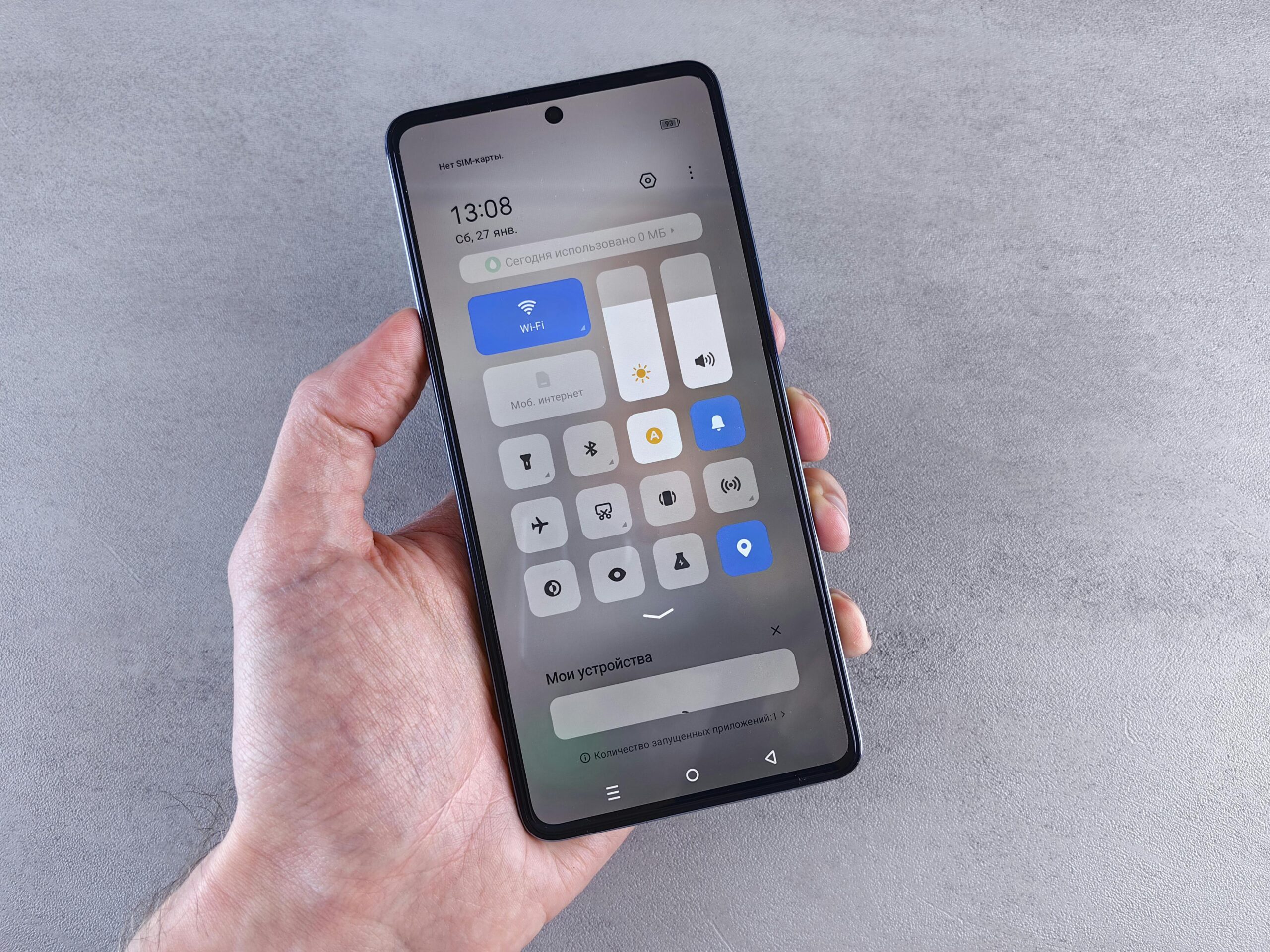
Optimize your navigation device settings before entering cold environments. Reduce screen brightness to the minimum readable level, as displays consume significant power. Disable unnecessary features like Bluetooth, Wi-Fi, and cellular data if you’re using offline maps. Switch GPS devices to battery-saver modes that reduce position update frequency while still maintaining adequate tracking.
Download all necessary maps and routes while still in warm conditions with reliable internet access. Offline navigation eliminates the power drain associated with data connectivity and ensures functionality even when cellular coverage disappears in remote areas.
🧥 Body Heat: Your Most Reliable Power Source
The human body generates approximately 100 watts of heat continuously, making it an excellent battery warming system. Strategic placement of navigation devices leverages this natural resource effectively.
Keep your primary navigation device in an inner jacket pocket when not actively using it. The insulation provided by your clothing layers combined with your body heat maintains batteries at temperatures significantly higher than ambient conditions. This single technique can double or triple effective battery life in extreme cold.
For devices requiring frequent reference, create a system allowing quick access while minimizing cold exposure. Many outdoor enthusiasts use chest-mounted pouches or modified jacket pockets with magnetic closures that enable rapid device retrieval and storage without removing gloves.
The Pocket Switching Technique
When carrying multiple devices or spare batteries, rotate their positions throughout your journey. Move cold devices into the warmest pockets near your core, while temporarily relocating warmed items to outer pockets. This rotation ensures all equipment benefits from body heat exposure and maintains a reserve of warm batteries ready for deployment.
📱 Insulation and Protection Methods
Beyond body heat, physical insulation provides crucial protection for navigation electronics in sub-zero conditions. Purpose-built solutions and improvised techniques both offer valuable benefits.
Neoprene cases designed for smartphones and GPS devices provide excellent insulation while maintaining touchscreen accessibility. These cases typically add 2-4 hours of operational time in temperatures around -10°C (14°F) compared to unprotected devices. Look for cases with clear front panels that allow operation without removal.
Chemical heat packs offer emergency warming when battery performance becomes critical. Position these carefully to avoid overheating devices—excessive heat damages electronics just as cold depletes batteries. Create a barrier using cloth or foam between the heat source and device, monitoring temperature through periodic checks.
DIY Insulation Solutions
Budget-conscious adventurers can create effective insulation using common materials. Wrap devices in foam padding secured with elastic bands, or use bubble wrap layers inside a waterproof bag. While less elegant than commercial solutions, these improvised methods significantly reduce heat loss and extend battery performance.
⚡ Emergency Power Solutions for Extended Trips
Multi-day expeditions in cold climates require more sophisticated power management strategies beyond simple conservation techniques.
Portable Power Banks in Cold Conditions
External battery packs face the same cold-weather limitations as internal device batteries. However, their larger capacity and ability to stay warm in inner pockets while connected via cables make them valuable assets. Select power banks with high-quality lithium-polymer cells, which generally perform better in cold than standard lithium-ion alternatives.
Keep power banks warm using the same body-heat strategies applied to primary devices. When charging your navigation equipment, maintain the power bank in an inner pocket while running the cable to your outer device. Some expedition-grade power banks include built-in heating elements specifically designed for cold-weather operation.
Solar Charging Considerations
Solar panels seem attractive for extended backcountry trips, but their effectiveness diminishes significantly in winter conditions. Shorter daylight hours, low sun angles, and snow-covered panels all reduce charging efficiency. Additionally, most solar charging requires batteries to remain outside and cold during the charging process, which counteracts potential benefits.
If using solar charging, position panels to maximize sun exposure while keeping connected batteries insulated from wind chill. Monitor battery temperature during charging and disconnect if batteries become too cold, as charging frozen batteries causes permanent damage.
🗺️ Navigation Apps Optimized for Battery Conservation
Software selection significantly impacts battery longevity in cold-weather scenarios. Certain navigation applications offer superior power management features specifically valuable in challenging conditions.
Gaia GPS stands out for serious backcountry navigation with excellent offline functionality and power optimization features. The application allows extensive customization of update intervals and display settings, enabling users to fine-tune power consumption based on specific needs.
For alpine and mountaineering applications, consider specialized tools like Avenza Maps, which excels at working with georeferenced PDFs and custom map imports. Its offline-first design and minimal background processing make it exceptionally power-efficient for cold-weather use.
🎯 Real-Time Battery Management Techniques
Active monitoring and adjustment of device usage patterns during your journey maximizes available power and prevents unexpected shutdowns at critical moments.
The 20% Rule
Never allow your primary navigation device to drop below 20% charge in cold conditions. The combination of cold temperatures and low battery states can trigger unexpected shutdowns at higher percentages than the displayed charge indicator suggests. When your device reaches 30% remaining capacity, immediately swap to a warm spare battery or power bank if available.
Track your power consumption rate during the initial hours of your journey. Calculate how long your current battery will last based on observed drain patterns, adjusting your navigation checking frequency accordingly. This proactive approach prevents surprises and allows strategic planning around available power resources.
Minimizing Screen-On Time
The display represents the single largest power consumer in most navigation devices. Develop navigation habits that reduce screen time while maintaining situational awareness. Check your position at regular intervals rather than leaving the screen continuously on. Learn to estimate distances between checkpoints, extending intervals between position confirmations.
Use audio cues when your navigation app supports them. Voice guidance allows you to keep the device stored warmly in your pocket while still receiving directional information. This technique works particularly well for trail navigation and route following where frequent visual reference proves unnecessary.
🧪 Understanding Battery Chemistry in Extreme Cold
Different battery technologies respond differently to cold stress. Understanding these variations helps optimize equipment selection for specific temperature ranges.
Lithium-ion batteries experience increased internal resistance in cold conditions, reducing both voltage and capacity. The electrolyte becomes more viscous, slowing ion movement between electrodes. This effect becomes dramatic below -20°C (-4°F), where many devices simply refuse to operate regardless of charge level.
Lithium-polymer batteries generally perform slightly better in cold than standard lithium-ion cells, making them preferable for dedicated cold-weather devices. However, the difference remains modest, and proper thermal management remains essential for both technologies.
Some specialized GPS devices use alkaline or lithium primary batteries rather than rechargeable cells. Energizer Ultimate Lithium primary batteries operate reliably down to -40°C (-40°F) and provide superior cold-weather performance compared to rechargeable alternatives. Consider devices accepting these batteries for extreme cold expeditions, despite the inconvenience of non-rechargeable power sources.
📊 Cold Weather Battery Performance Comparison
| Battery Type | Capacity at 0°C | Capacity at -20°C | Minimum Operating Temp |
|---|---|---|---|
| Lithium-Ion (Standard) | 85-90% | 50-60% | -20°C (-4°F) |
| Lithium-Polymer | 90-95% | 60-70% | -20°C (-4°F) |
| Lithium Primary (AA) | 95-100% | 85-90% | -40°C (-40°F) |
| Alkaline | 70-80% | 30-40% | -10°C (14°F) |
🏔️ Expedition-Level Battery Management Systems
Professional guides and serious mountaineers employ comprehensive power management systems for extended cold-weather expeditions. While these approaches may seem excessive for casual users, they provide valuable insights scalable to any cold-weather adventure.
Create a power budget before departure, calculating total watt-hours needed for your entire journey. Account for reduced capacity due to cold exposure, typically planning for 50% capacity reduction in extreme conditions. Bring sufficient battery reserves to meet this calculated requirement plus a 25% safety margin.
Implement a rotation schedule for multiple devices. If carrying both a dedicated GPS unit and smartphone for navigation backup, use them in alternating periods. This approach keeps one device warm and fully charged while the other handles active navigation duties. Every few hours, switch roles to distribute power consumption and maintain warm reserves.
Base Camp Charging Strategies
For expeditions involving base camps or huts, develop systematic charging routines. Bring devices to full charge during every warming opportunity. Position charging equipment near heat sources but avoid direct exposure to stoves or heaters, which can overheat batteries and damage internal components.
If using generator power at established camps, charge all devices simultaneously during available generator time. Don’t assume generator access will be reliable—treat every charging opportunity as potentially your last before returning to civilization.
🌡️ Temperature Monitoring and Battery Health
Understanding actual device temperatures rather than relying on ambient air temperature improves battery management decisions. A device in your inner pocket might maintain 15°C (59°F) while external air temperature reads -25°C (-13°F).
Some advanced navigation apps display internal device temperature along with battery status. Use this information to optimize warming strategies. If device temperature drops below 5°C (41°F) despite being in an inner pocket, add additional insulation layers or move it closer to your core.
After cold exposure, allow devices to warm gradually to room temperature before charging. Rapid temperature changes cause condensation inside device housings, potentially damaging electronics. Place cold devices in sealed bags during the warming process to prevent moisture infiltration.
🚨 Recognizing and Responding to Battery Emergencies
Despite careful planning, battery emergencies occur. Knowing how to respond maximizes your remaining power and maintains navigation capability until you reach safety.
When facing critically low power with significant distance remaining, immediately switch to minimum power mode. Reduce GPS tracking to the lowest acceptable frequency—perhaps checking position only every 30-60 minutes. Navigate primarily by compass and map, using your device only to confirm major waypoints or resolve navigation uncertainty.
Consider enabling airplane mode to eliminate all wireless communication, which consumes power even when not actively transmitting. GPS functionality continues in airplane mode, allowing position fixes while eliminating background radio activity.
If traveling in a group, consolidate navigation duties to a single device while keeping others completely powered down as reserves. This strategy preserves backup navigation capability while extending the operational life of your primary device.
🔬 Future Technologies and Cold Weather Solutions
Battery technology continues evolving, with several promising developments specifically addressing cold-weather performance limitations. Solid-state batteries currently in development show significantly improved cold-temperature performance compared to current lithium-ion technology. These next-generation cells maintain higher capacity and voltage in sub-zero conditions while offering improved safety profiles.
Some manufacturers now produce devices with integrated heating elements that maintain battery temperature using a small portion of stored energy. While this approach slightly reduces total capacity, it delivers more consistent performance in extreme cold by preventing the dramatic capacity losses associated with frozen batteries.
Advanced insulation materials originally developed for aerospace applications are becoming available in consumer products. Aerogel-insulated device cases provide exceptional thermal protection with minimal bulk, offering performance superior to traditional neoprene solutions.
🎿 Sport-Specific Battery Management Approaches
Different cold-weather activities present unique battery management challenges requiring tailored approaches.
Skiing and Snowboarding
Downhill skiing involves short bursts of activity with lift rides providing excellent opportunities for device warming. Keep navigation equipment secured in inner pockets during descents, checking position only during lift rides when you’re stationary and can safely handle devices with gloved hands.
Backcountry skiing demands more frequent navigation reference. Consider chest-mounted phone cases or GPS units attached to jacket straps for quick reference without deep pocket access. Ensure these exposed devices have excellent insulation, as wind chill during descents dramatically accelerates heat loss.
Ice Climbing and Mountaineering
Vertical activities prevent easy access to inner pockets. Use wrist-mounted or chest-mounted solutions that remain accessible while wearing harnesses. Accept reduced battery life from exposure positions, carrying extra capacity to compensate. Schedule position checks during belay stations rather than while actively climbing.
Winter Camping and Trekking
Multi-day winter treks offer the luxury of time but challenge power reserves. Bring devices into your sleeping bag overnight—your body heat maintains optimal battery temperature during this extended period. Morning represents peak battery performance after all-night warming, making it ideal for detailed route planning and position confirmation.
Successful navigation in sub-zero temperatures requires understanding battery limitations, implementing proactive thermal management strategies, and maintaining disciplined power conservation practices. These skills develop through experience, but starting with solid fundamentals prevents the common mistakes that leave outdoor enthusiasts stranded with dead devices in critical situations. By treating battery management with the same seriousness as route planning and safety equipment, you ensure reliable navigation capability regardless of how low temperatures drop.